
Accumulate Net Trades By custom fields
The Net Trades page of the Trading windows now supports Custom fields in the Accumulate By dropdown:
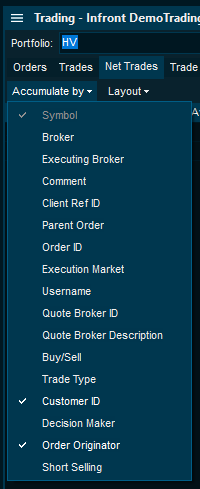
Here the custom order fields Customer ID and Order Originator are used as two of the Accumulate By parameters in the Net Trades page in the Trading window.
Support token-based trading login
The standard trading login mechanism uses credentials of username and password. The terminal now supports custom trading login solutions provided by the trading provider, using a web-based login screen that could include any 3rd party credentials mechanism - such as QR-codes, BankID, One-time password codes (OTP) and so on.
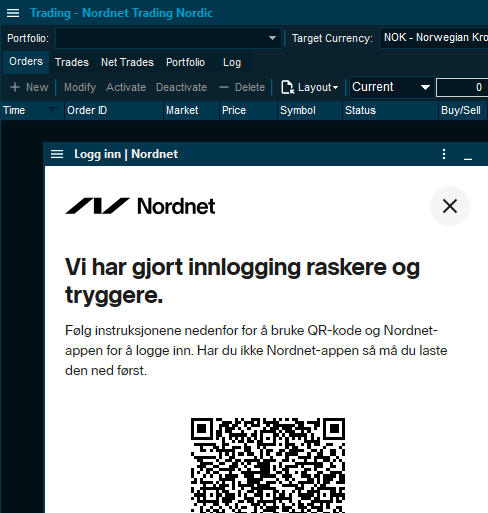
Example: QR-code login screen from a Norwegian trading provider.
Configurable Default Validity
End-user can override the default Validity value per instrument or market, previously this could only be set globally.
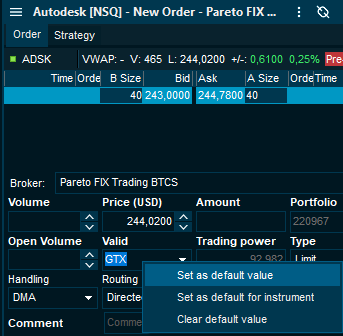
Here the Validity field is set to GTX as default for all instruments in the NSQ market.
Support for Currency Portfolios
Some trading portfolios can be tagged as Cash-portfolios. This means that you must have a separate cash deposit for every currency you are trading in. In these cases, the Trading Power field in the New order window is replaced by a new Cash available field for the relevant currency instead.
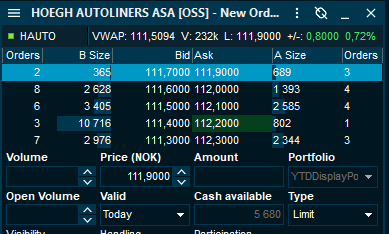
Here we see that the selected portfolio has 5,680 NOK available for trading in NOK instruments.
Today-only custom fields
Certain custom field only apply to orders with Validity equal Today. For example, a custom field called “Extended hours” may only make sense for trading Today, and it will be disabled for other validity selection (GTD for instance).
Today’s and YTD Gains aligned with OMS
The calculated values in the Portfolio header in the Trading window for Today’s and Year-to-date gains can now be aligned with OMS calculated values.
Some trading providers now produce OMS calculated total market and portfolio values, and these are now used to calculate Today’s gain and Gains YTD portfolio header fields. In addition, cash values may be included in the total summary of invested and total market value.
Algo Strategies with dynamic fields
The Strategy-specific fields defined for an algo can now be dynamically shown or hidden depending on what values are selected in other input fields.